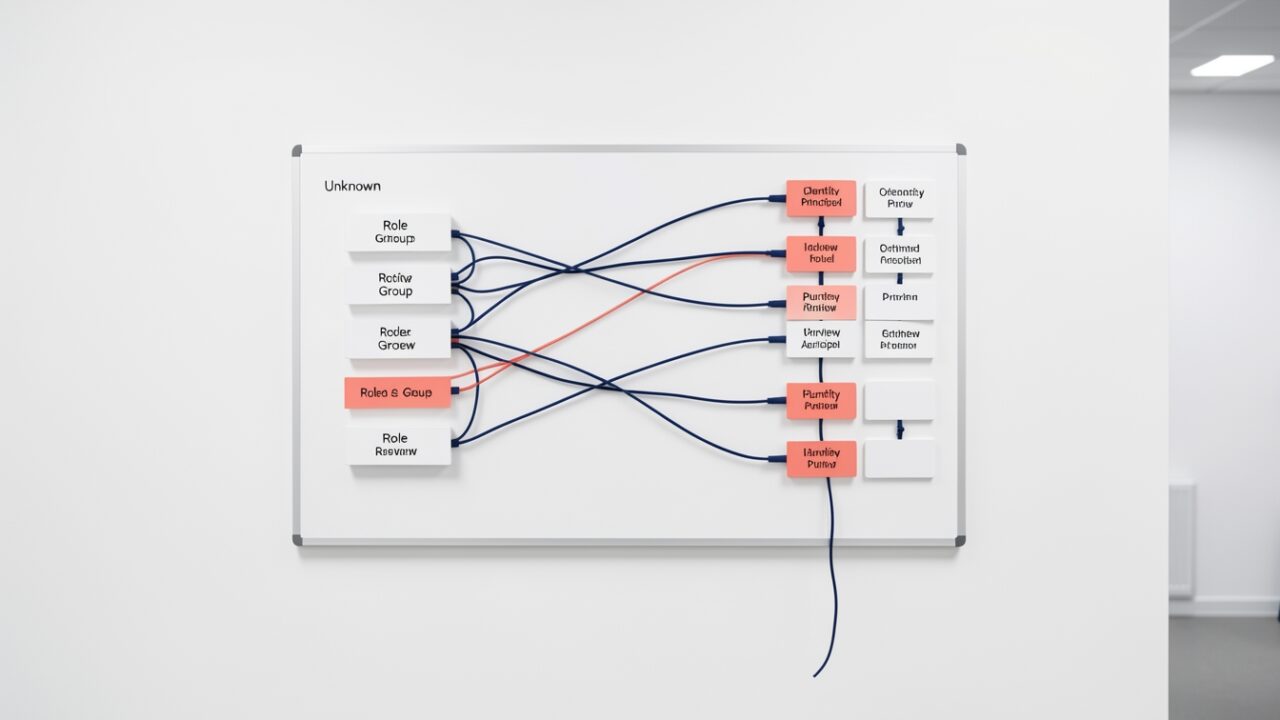
Three things break when a Purview admin leaves and nobody tidies up: your eDiscovery Manager group still “contains” someone who no longer exists, your least-privilege review signs off on access it can’t actually see, and six months later an auditor asks who had legal-hold rights in Q2 and you don’t have a clean answer. The portal won’t stop you. It just shows a row labelled Unknown and carries on.
What is an “Unknown” member in a Purview role group, is it a bug?
No. It’s by design, and that’s the uncomfortable part.
A role group stores a reference to a security principal, a GUID, not a live copy of the user. When you delete the user in Entra ID, nothing reaches back into the Purview role group to retract that reference. The binding outlives the human. Think of a building keyring where each key is engraved with an employee number instead of a name. Fire the employee, shred their HR file, and the key still turns the lock. The keyring has no idea the number means nothing now.
So “Unknown” in the Roles & scopes UI isn’t corruption. It’s Purview honestly telling you it holds a GUID it can no longer resolve to anything in the directory. The access binding is real. The principal behind it is gone. Both facts are true at once, and that gap is exactly what you want to find.
Why does one orphaned GUID actually matter?
On its own, a GUID with no principal can’t log in, the account’s gone. The risk is quieter and more structural than “a ghost can read your legal holds.”
First, GUIDs get recycled in ways that bite. If an on-prem sync or a scripted re-creation reuses an object in a way that lands on that ID, a dead binding suddenly points at a live principal nobody vetted. Rare, but it happens, and it’s the kind of thing a red team loves. Second, and this is the everyday problem, an Unknown entry pollutes every access review you run. Your least-privilege report says “eDiscovery Manager has eight members.” Three are groups, one is Unknown, and you have no idea how many real humans that nets out to. You can’t certify access you can’t enumerate. Third, it’s an audit smell. An orphaned high-privilege binding is evidence that your joiner-mover-leaver process doesn’t reach Purview RBAC. Auditors notice the pattern, not the single row.
Can’t I just read this in the Purview portal?
For a tiny tenant, sure. For anything real, no, and for two specific reasons.
The portal shows direct membership. It does not expand nested groups into the actual people who inherit the role. If your Compliance Administrator group contains a mail-enabled security group, the portal shows you the group’s name and stops. The twelve humans inside it are invisible on that screen. And the portal’s “Unknown” label gives you no GUID to investigate, no way to cross-reference, no export your GRC team can sign. You need the raw object ID and you need the expansion. That’s a script’s job.
Which scopes do I actually need, is it RoleManagement.Read.All?
It depends, and the honest answer annoys people who expected one tidy scope.
Purview compliance role groups are not Entra directory roles. They live in the Security & Compliance RBAC system, the same lineage as Exchange role groups, which is why you reach the role group definitions through the Purview/Security & Compliance PowerShell endpoint, not a Graph roleManagement call. RoleManagement.Read.All covers Entra and Exchange role management; it won’t magically enumerate Purview role groups for you. What Graph does do brilliantly is the part that matters most: resolving each member GUID to a real object, expanding nested groups into humans, and telling you when a GUID resolves to nothing.
So the least-privilege set for the resolution work is read-only directory access plus audit log read:
If you later extend this to also pull Entra directory-role assignments in the same report, then add RoleManagement.Read.All. Don’t request it just because a blog post said so.
How do I resolve a member and catch the orphans in the same pass?
Try to look the GUID up as a user, then as a group. A 404 on both means the principal is gone, that’s your Unknown. Everything hinges on treating NotFound as a result, not an error to swallow.
The discipline that matters: a 404 returns a clean “orphan” signal, but a throttle (429) or a permissions error (403) re-throws loudly. If you blanket-catch everything, a transient Graph hiccup becomes a false orphan and you’ll spend an afternoon chasing a user who was fine all along.
How do I expand nested groups so I see real humans, not group names?
Use transitive members. Think of a nested group as a key that opens a door into a room full of other keys, Get-MgGroupTransitiveMember walks the whole chain and hands you the people at the end, no matter how deep. The -All switch handles @odata.nextLink pagination for you, which matters the moment a group has more than a page of members.
The Via column is the whole point. When your report says someone has eDiscovery Manager “Nested via Legal-Team-All,” you instantly know the access is inherited and where to go to revoke it, the group, not the role group.
Does this script remove anything?
No. Nothing here calls a write cmdlet, and that’s deliberate. It reads role groups, resolves members, expands nesting, and writes a CSV. That’s the entire blast radius.
If you later bolt on removal logic for confirmed orphans, gate it behind -WhatIf by default and feed it a reviewed CSV, never pipe a live query straight into a Remove- cmdlet. The whole reason you’re here is that something got deleted without a review step. Don’t recreate the problem with better tooling.
How do I tell whether the deletion was even authorized?
Cross-reference the orphaned GUID against the audit log before you touch anything. The question isn’t just “is this a ghost”, it’s “did someone delete this principal on purpose, and did the role binding get left behind by accident or on purpose?”
Move fast, because Entra directory audit retention is measured in weeks, not years, if the deletion is older than the window, it’s already gone from here and you’ll need Purview Audit (if you have it) or your SIEM. A deleted user may also still sit in Entra’s recycle bin for a 30-day grace period, which is your chance to confirm identity before it hardens into a permanent Unknown.
What output do compliance and security teams actually want?
A flat CSV, one row per effective principal, with the inheritance path spelled out. Not a nested object, not a console table they have to screenshot.
Columns that earn their place: role group, member type (including Unknown (orphaned)), display name, UPN, account enabled, the Via path, and the raw orphan GUID. A GRC reviewer can filter to MemberType = Unknown in one click and hand you a remediation list. Security can sort by Enabled = False to catch disabled-but-still-privileged accounts the orphan check misses.
Where does all of this live in the admin center?
Role groups: Microsoft Purview portal → Settings → Roles & scopes → Role groups. That’s where the Unknown label shows and where a human eventually removes the confirmed orphan. The deleted principal and its 30-day recovery window: Entra admin center → Identity → Users → Deleted users. The audit trail behind the deletion: Entra admin center → Monitoring & health → Audit logs, or Purview Audit search if you need to reach past the Entra retention window.
Run the report on a schedule, diff it month over month, and the first time a new Unknown appears you’ll know a leaver slipped past your offboarding. The script doesn’t fix your process. It just makes the gap impossible to not see.