×
In

After installing RHEL/CentOS 7 minimal, You may not able to connect network in that machine. This will happen because Ethernet interfaces are not enabled by default.
This guide explain you to setup network on RHEL/CentOS 7.

Setup network on CentOS 7 minimal

First, type “nmcli d” command in your terminal for quick list ethernet card installed on your machine:
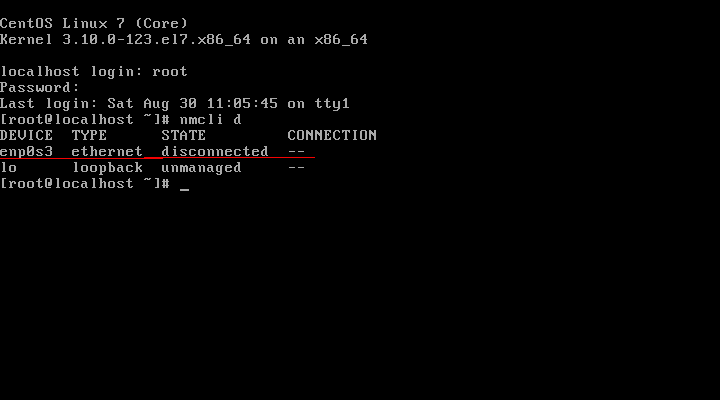
CentOS_7-network-setup

“nmcli d” command output

Type “nmtui” command in your terminal to open Network manager. After opening Network manager chose “Edit connection” and press Enter (Use TAB button for choosing options).
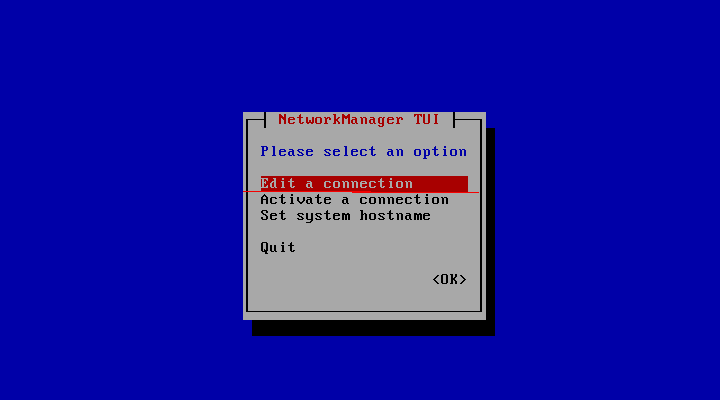
CentOS_7-Network-manager-screen

CentOS_7 Network manager screen

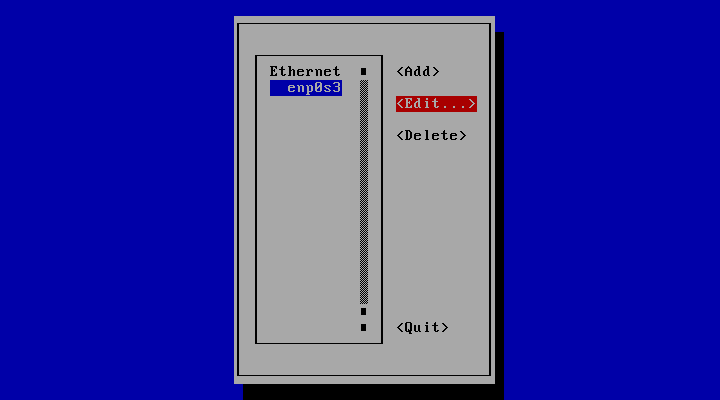
Now choose you network interfaces and click “Edit”

Edit-your-network-interfaces


Edit your network interfaces

DHCP configuration

Choose “Automatic” in IPv4 CONFIGURATION and check Automatically connect check box and press OK and quit from Network manager.
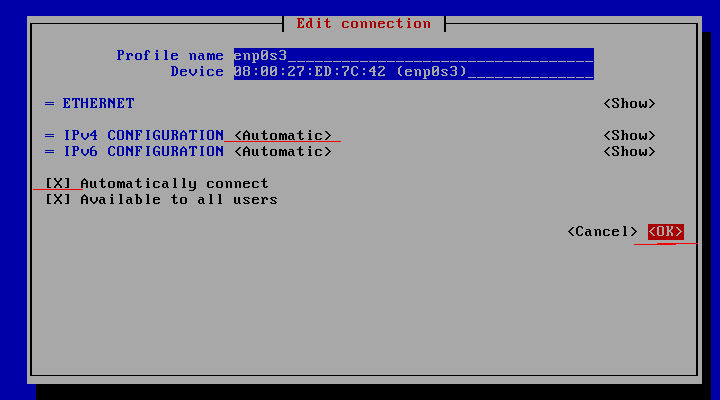
Set-ip-adress-using-DHCP

Set ip adress using DHCP

Reset network services:

service network restart

Now your server will get IP Address from DHCP .
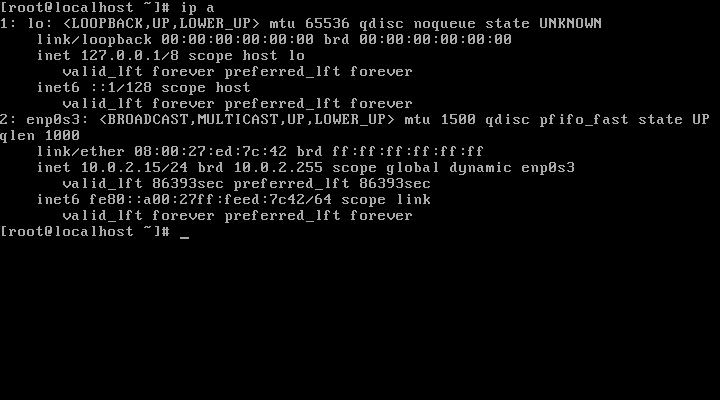
CentOS-7-check-ip-address

CentOS 7 check ip address.

Related Posts

How to Configure Time Server (NTP Server) on Centos 7?

Prerequisites: VM/ Physical – It is recommended to have the time server as a physical server, but VMs should be okay depending...

Read out all
In

Linux: CentOS 6 kernel panic+0xa7/0x16f fix

So ran into a view issue for a Linux Host today. Kernel Panic !!! There could be a number of reasons that...

Read out all
In

“Host SMBus controller not enabled!”

CentOS guest instances in VMware sometimes come up with the boot error message: piix4_smbus 0000:00:007.3: Host SMBus controller not enabled! This error is...

Read out all
In

How to Start and Enable Firewalld on CentOS 7

It is highly recommended that you have a firewall protecting your server. Pre-Flight Check These instructions are intended specifically for enabling and...

Read out all