Microsoft Teams was announced yesterday and many want to jump right in. I noticed when users wanted to create teams, new distribution groups started getting added. I wanted to find out my ‘In cloud’ distribution groups and was surprised there was no property for the item.
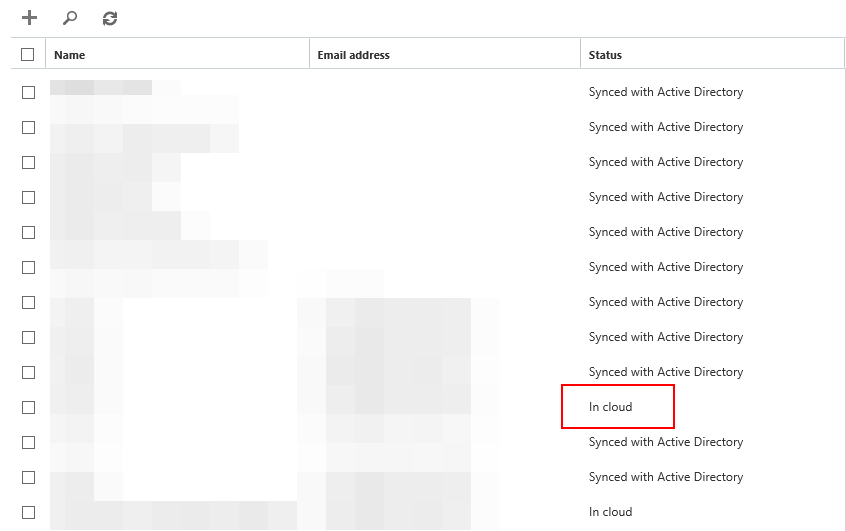
I was able to find out the groups using the following:
Get-MsolGroup -All | where {$_.lastdirsynctime -eq $null}
This listed the information I needed to clean up groups.
You may also want to disable ‘group creation’ for users. Read how to do that here.
Author

Related Posts

Provisioning a New Office 365 User and Mailbox from Exchange Hybrid via PowerShell
Working with many Office365 clients, I receive queries on how to go about provisioning users and mailboxes for an Exchange hybrid deployment....

Add Alternate Email Address or Recovery Email Address for Office365 Administrator
In Office365, depending on the admin role of an account you may want to add an alternate email address for password recovery....
Read out all
Outlook 2016: Remove Duplicate entries in Room Finder
In Outlook 2016 some users may noticed dual entries in the Room List: The room list behavior that we see  in Outlook is by design. When we ...

Office365: List Your Business Can’t Live Without
When you have a lot of conference rooms, equipment or special rooms mailboxes it is hard to list or find available free...

Hack: Microsoft Outlook AutoComplete
Outlook maintains the AutoComplete list. The list is used by both the automatic name-checking feature and the automatic completion feature. The AutoComplete...
Read out all
Cleaning up Office365 Groups Mess
Office 365 Groups are a shared workspace for email, conversations, files, and events where group members can collectively get stuff done. It...