From time to time I come across this need; where I need to scrub a file where there are duplicates, there are blank lines, the sort order is all wack, and it just needs to be formatted to where it can be more readable and/or usable.
This method just doesn’t apply to text, but also applies to numbers.
Software Prerequisites:
- NotePad++
- TextFX Characters Plug-in for NotePad++
Enabling TextFX Characters Plug-in
Install NotePad++ with all defaults
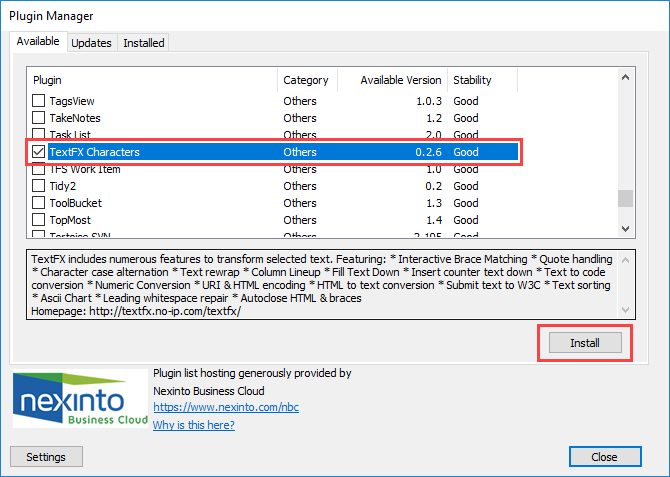
Goto Plugins > Plugin Manager > Show Plugin Manager

Install TextFX Characters Plugin
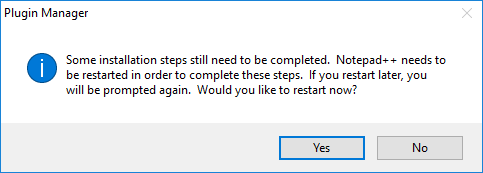
Once successfully downloaded it will prompt for a restart.
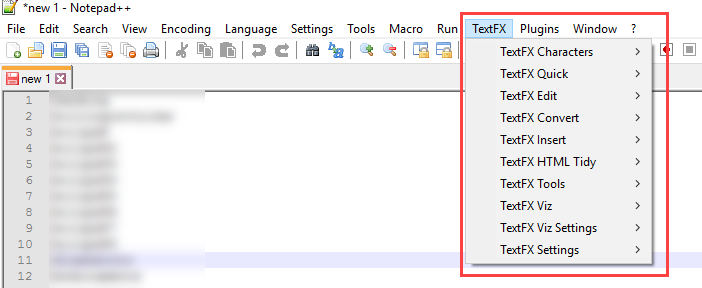
After a successful restart of the application you should now see the TextFX entry in the toolbar.
Removing duplicates, blank lines, and sorting data
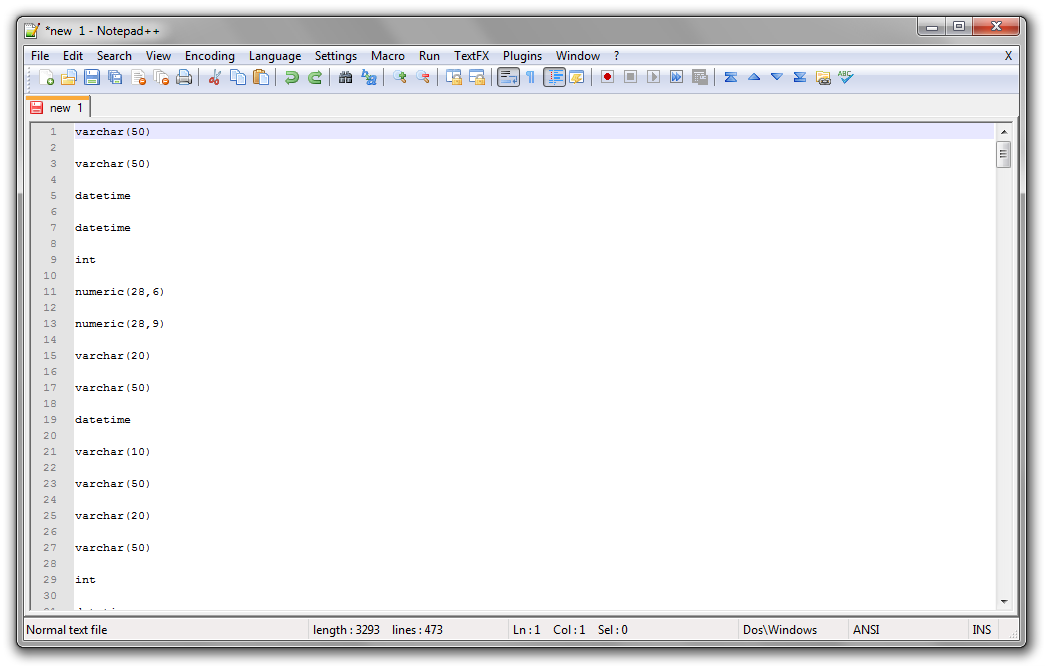
- Paste the text into Notepad++ (CTRL+V). As you can see, there were lines and half of them were blank.
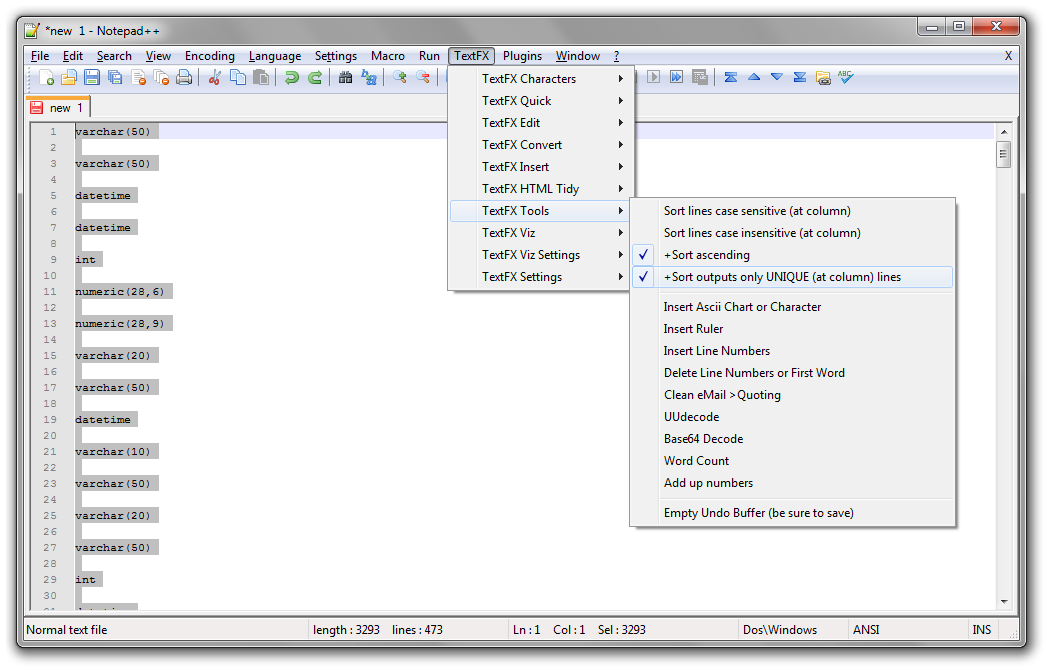
- Mark all the text (CTRL+A). Click TextFX → Click TextFX Tools → Check +Sort outputs only UNIQUE (at column) lines (if not already checked).
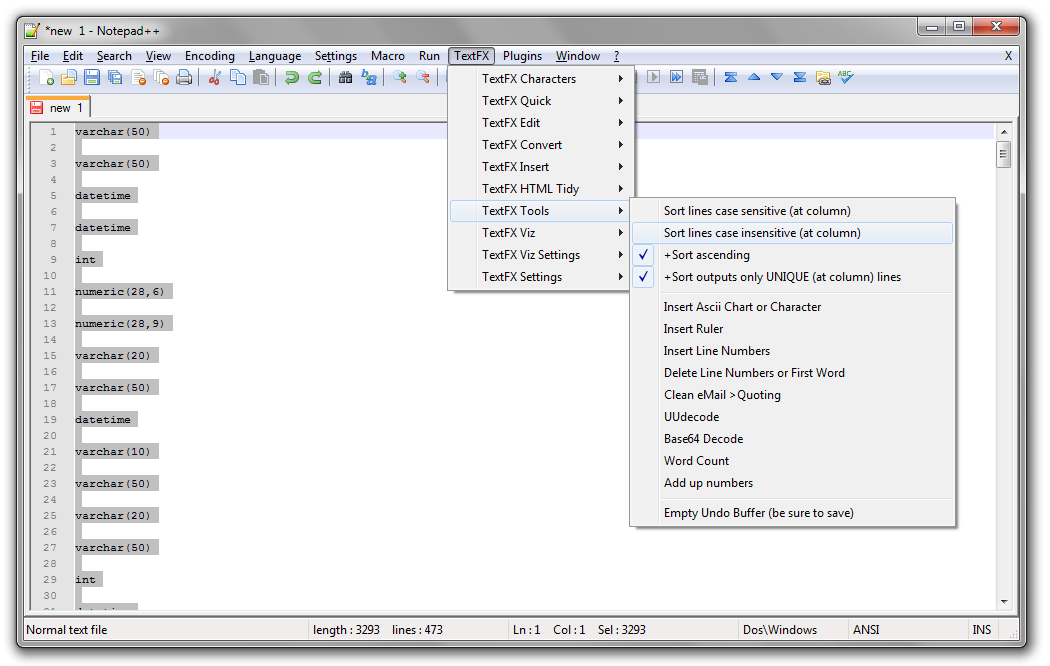
- Click TextFX → Click TextFX Tools → Click Sort lines case insensitive (at column)
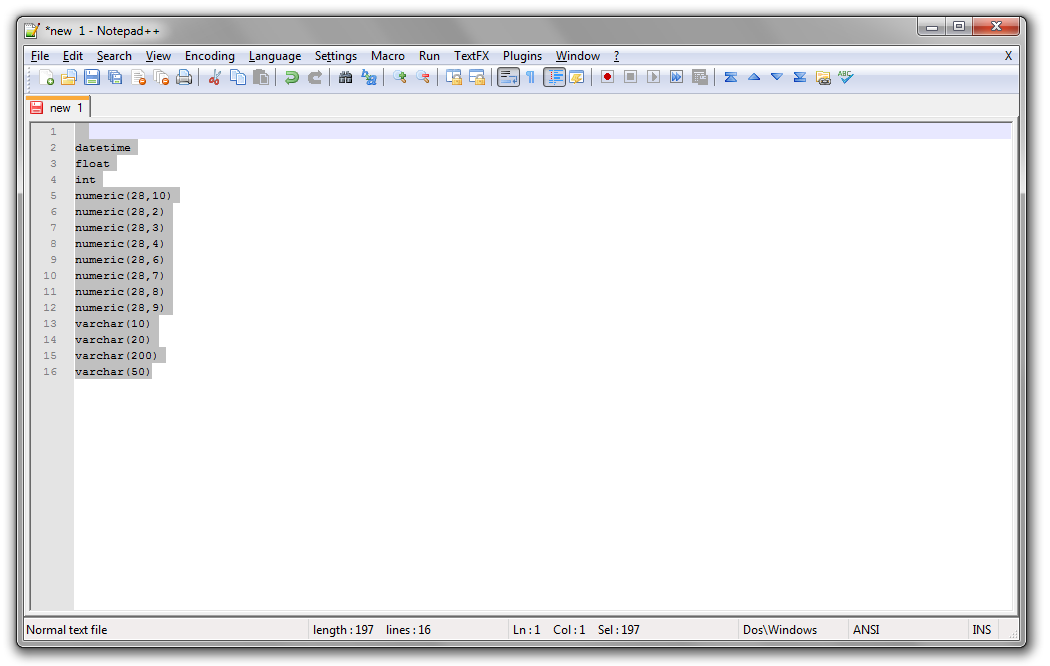
- Duplicates and blank lines have been removed and the data has been sorted alphabetically. (The first line that may appear empty contains a space, which is regarded as a character and is included in the list of unique data.)
[su_tooltip position=”north” content=”Please check permissions on the files and folders. If you have unique or specialized permission on the file or folders these wont work.”]
Changing to lowercase
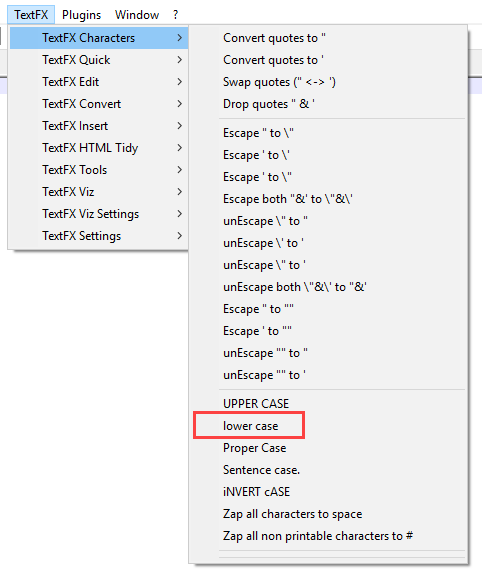
To change the text to lowercase Goto: TextFX > TextFX Characters > lower case[/su_tooltip]
This has saved me a lot of time when working with IP addresses or cleaning up text.